Broadcasting GPS on the local network
Ever since Mozilla killed its GPS location service, GPS hasn’t been very accurate for me on Linux. The system on linux that handles location on many linux systems is called Geoclue, and this system is used by for example Firefox and Gnome Maps (notably not Chrome).
Based on the output of
/usr/libexec/geoclue-2.0/demos/where-am-i, it uses a GeoIP database which
places me somewhere in Toronto with 25KM accuracy:
 » /usr/libexec/geoclue-2.0/demos/where-am-i
Client object: /org/freedesktop/GeoClue2/Client/1

New location:
Latitude:    43.706400°
Longitude:   -79.398600°
Accuracy:    25000 meters
Description: GeoIP (ichnaea)
Timestamp:   Sun 03 May 2026 04:00:10 PM (1777838410 seconds since the Epoch)
Note: to install where-am-i, you might need to run:
# Fedora
sudo dnf install geoclue2-demos

# Debian family
sudo apt install geoclue-2-demo
I could try to find an alternative service (suggestions welcome!), but I have some servers at home, and it made me wonder if there’s something I can run locally. The servers don’t move, so the logic was that as long as I’m on the home network, I can just decide what GPS coordinates to emit.
Turns out, there is!
The protocol is called NMEA 0183, which appears to be a suite of specifications for marine electronics (ships!). The messages can be sent over a serial port or over a TCP socket.
For example, a message with GPS information might look like this:
$GPRMC,204049.000,A,5308.3999,N,00601.9266,E,0.000,0.000,030526,,*02
$GPGGA,204049.000,5308.3999,N,00601.9266,E,1,08,1.0,119.0,M,0.0,M,,*6F
It’s also supported, and enabled by default by GeoClue. The settings in
/etc/geoclue/geoclue.conf look like this for me:
# Network NMEA source configuration options
[network-nmea]

# Fetch location from NMEA sources on local network?
enable=true
The way GeoClue does the look up, is that it searches for an MDNS entry
for a service called _nmea-0183._tcp. If it finds one, it connects to the
address in the record and gets the GPS information.
So, I figured I could just write a small server (with some help from Claude)
that emits these lines and registers itself with Avahi (the standard
MDNS implemenetation on Linux, or a Mac it would be Bonjour). MDNS is also
the thing that lets you use .local addresses on the local network, or
discover things like printers, TVs and so on.
I shared this on Github: https://github.com/evert/nmea-static-gps-server/blob/main/nmea_static_gps_server.py.
This is the TCP server that emits the GPS info once per second. The repo also includes Avahi configuration that looks like:
<?xml version="1.0" standalone='no'?>
<!DOCTYPE service-group SYSTEM "avahi-service.dtd">
<service-group>
  <name replace-wildcards="yes">NMEA GPS (%h)</name>
  <service>
    <type>_nmea-0183._tcp</type>
    <port>10110</port>
  </service>
</service-group>
After this file is copied to /etc/avahi/services/nmea-statis-gpc.service,
you can test on other machines to see if the record can be discovered with:
$ avahi-browse  _nmea-0183._tcp -r -t
+ wlp192s0 IPv6 NMEA GPS (node05)                             _nmea-0183._tcp      local
+ wlp192s0 IPv4 NMEA GPS (node05)                             _nmea-0183._tcp      local
= wlp192s0 IPv6 NMEA GPS (node05)                             _nmea-0183._tcp      local
   hostname = [node05.local]
   address = [fe80::a8c2:15de:9af:19b]
   port = [10110]
   txt = []
= wlp192s0 IPv4 NMEA GPS (node05)                             _nmea-0183._tcp      local
   hostname = [node05.local]
   address = [192.168.2.205]
   port = [10110]
   txt = []
In my case the service is running on a machine called node05.local.
The service itself can easily be tested with telnet:
$ telnet node05.local 10110
Once this is all in place, I just had to restart Geoclue on the client machine and it started picking up the GPS coordinates from the server:
$ sudo systemctl restart geoclue
$ /usr/libexec/geoclue-2.0/demos/where-am-i
Which gave the exact coordinates from the server!
Client object: /org/freedesktop/GeoClue2/Client/3

New location:
Latitude:    43.645758°
Longitude:   -79.410510°
Accuracy:    0 meters
Altitude:    119.000000 meters
Speed:       0.000000 meters/second
Description: GPS GGA+RMC
Timestamp:   Sun 03 May 2026 04:58:58 PM (1777841938 seconds since the Epoch)
A quick test with Gnome Maps also immediately showed the correct location. Firefox needed a restart for me.
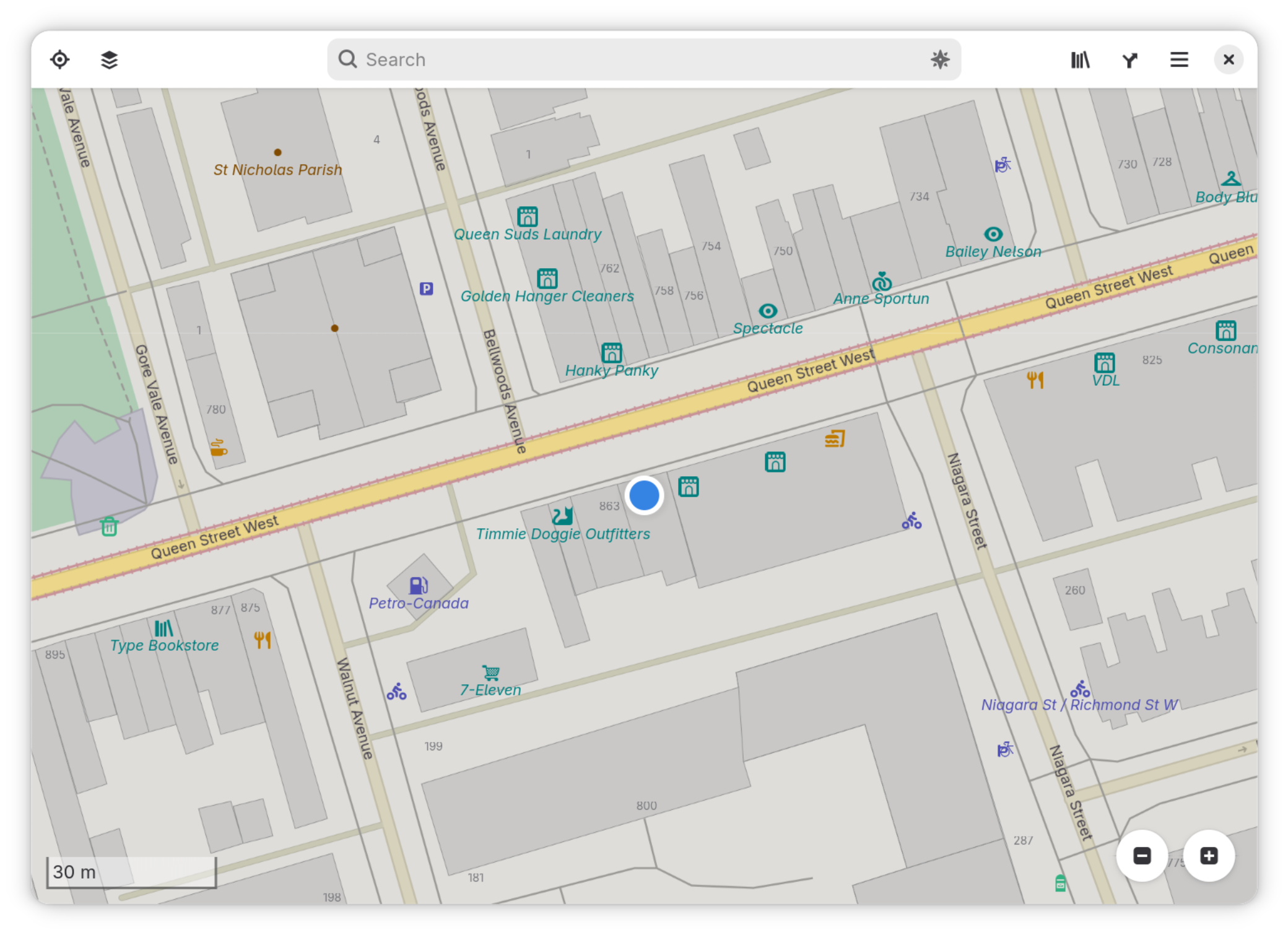
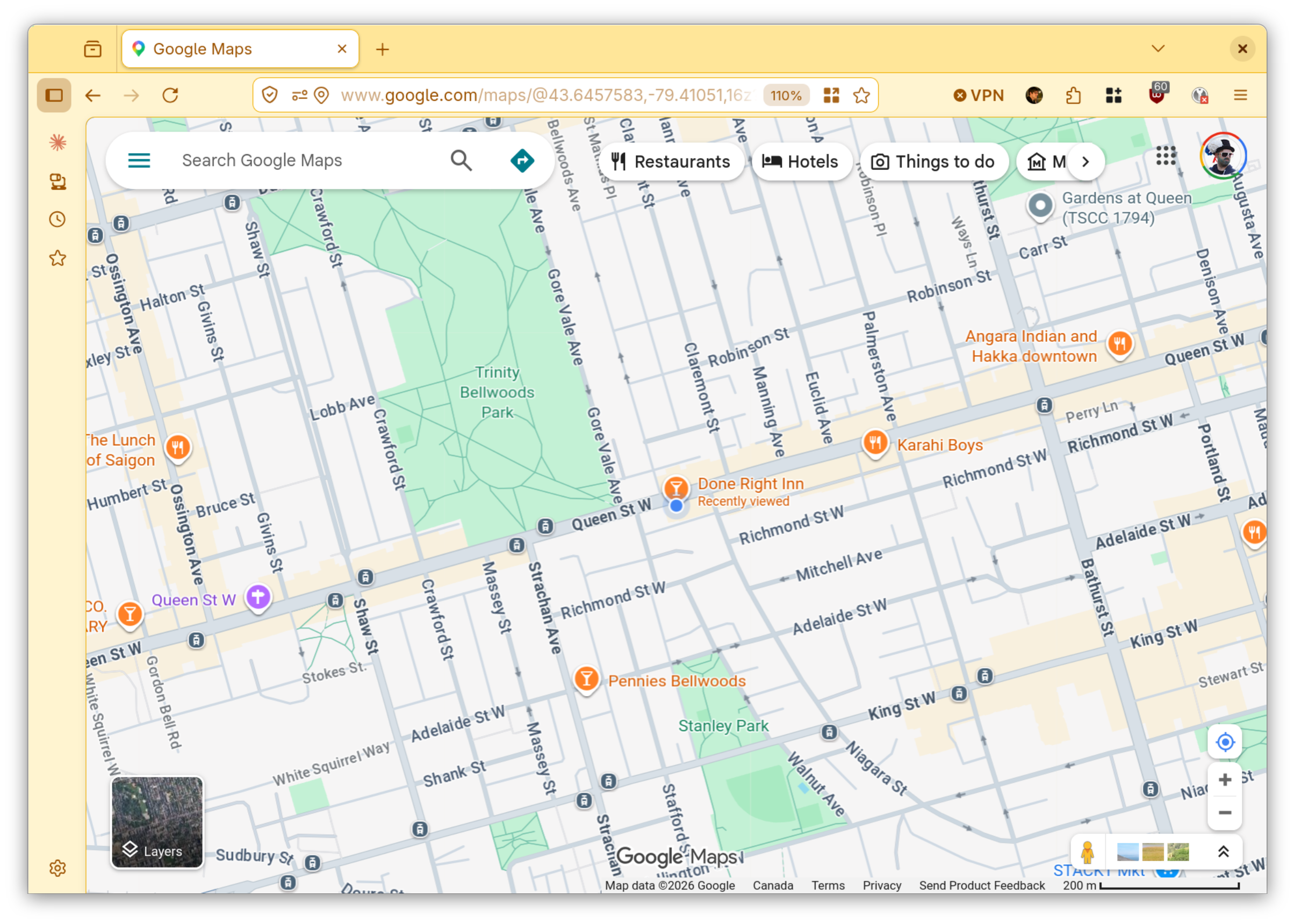
Now I never have to wait for a slower, inaccurate GPS lookup again and as long as I’m home all my Linux machines will just instantly pick up the correct location.
It also seemed to work on Apple Maps on a Mac, but only when Location Services was turned off. I didn’t get an exact dot on the map but it got the area right.
For fun, you could also use this to spoof incorrect locations to your Linux-using guests and co-workers.
Hope this tool is useful to anyone else. If you’d like to contribute, more/better setup instructions for other distros are appreciated (if they are different).
Link once more: